Free weekly construction timesheet template
Site, start, finish, breaks and hours for each day, a notes column for delays and variations, and sign-off from the worker and the supervisor.
Weekly construction timesheet
PDF, 1 page, A4 landscape · Free · No email required
Done chasing hours by text? With check-in switched on in Foreman's site diary, crew check in and out by QR and each shift saves with the time on site, ready to export as a CSV. Free on your first project, with every feature and unlimited users on it.
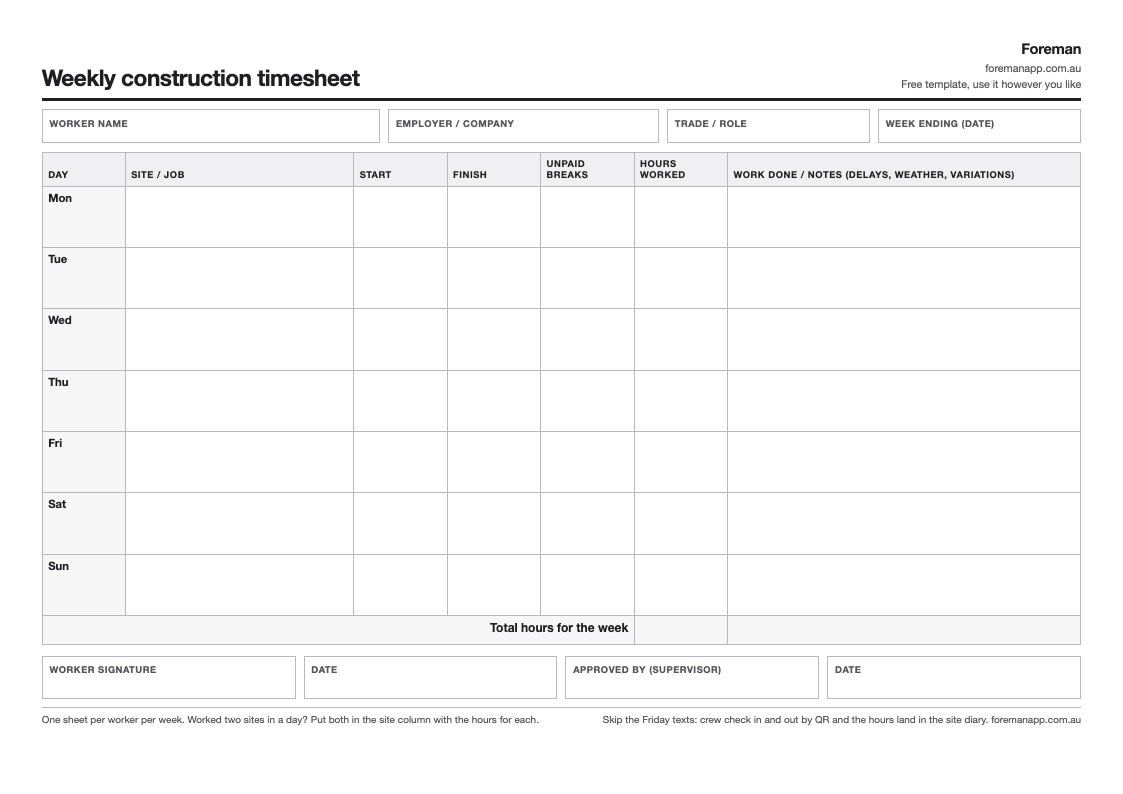
A weekly timesheet for one worker: the site, start, finish, unpaid breaks and hours for each day, a notes column for what got done and what held it up, and signatures from the worker and the supervisor who approves it. Landscape A4, one sheet per person per week.
Free, no email required.
Why a paper timesheet still beats the Friday text
Most small builders collect hours by text message on a Friday afternoon. It works until two people remember the same Tuesday differently, or the client queries an invoice a month later and the texts are gone.
A signed weekly sheet fixes both. The worker writes the hours on the day, the supervisor signs the week off, and the office has one page per person to work from.
What goes in each column
Site / job. Name the job on every line. When hours are invoiced to a client, the site is what matters.
Start and finish. The times on site, written on the day. A start and finish time is harder to argue with than a total.
Unpaid breaks. Lunch and any other unpaid time, so the hours worked add up.
Hours worked. Finish minus start, less breaks.
Work done / notes. A line on what got done, plus anything that cost time: rain, a late delivery, waiting on another trade, a variation the client asked for. These notes back up a delay or variation claim later.
Signatures. The worker signs the week and the supervisor approves it. An approved sheet is what the office pays and invoices from.
What people get wrong
Filling it in on Friday from memory. Hours written days later are guesses. Keep the sheet with the worker and fill in each day before they leave site.
Leaving the site column blank. A total with no job attached can't be charged to anyone.
No notes on short days. If someone did four hours because it rained, say so. A short day with no reason looks like a missing day.
Totals with no times. "8" tells the office nothing about when someone was actually on site.
Recording hours on a phone instead
An admin switches check-in on, and crew need a Foreman login to use it. If you'd rather keep it simple, crew can type their hours into the diary entry for the day. Either way the hours are saved against the job, ready for the office to export.
Related
To add up a filled-in sheet, use the free timesheet calculator. The free site diary template records the day on the job alongside the hours. The site sign-in sheet records everyone who comes through the gate, including visitors.